
In some cases, intercompany transactions are stored in the same GL account as other regular transactions. For instance, Xero does not allow users to create separate Accounts Payables accounts for intercompany balances. As such, only a part of this account would require an elimination.
To eliminate these intercompany transactions, Joiin's Eliminate by Contact and Account option can be used. To do so:
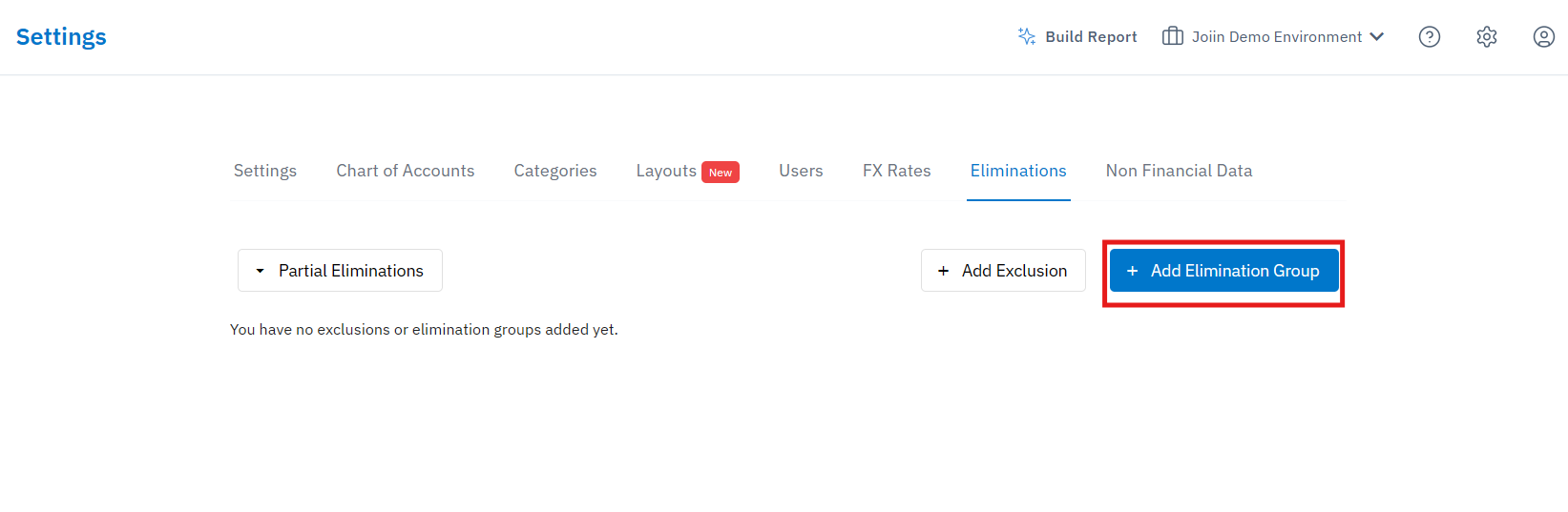
1. Go to the Eliminations tab by clicking the top right Settings Cog and then selecting Eliminations
2. Click the Add Elimination Group button
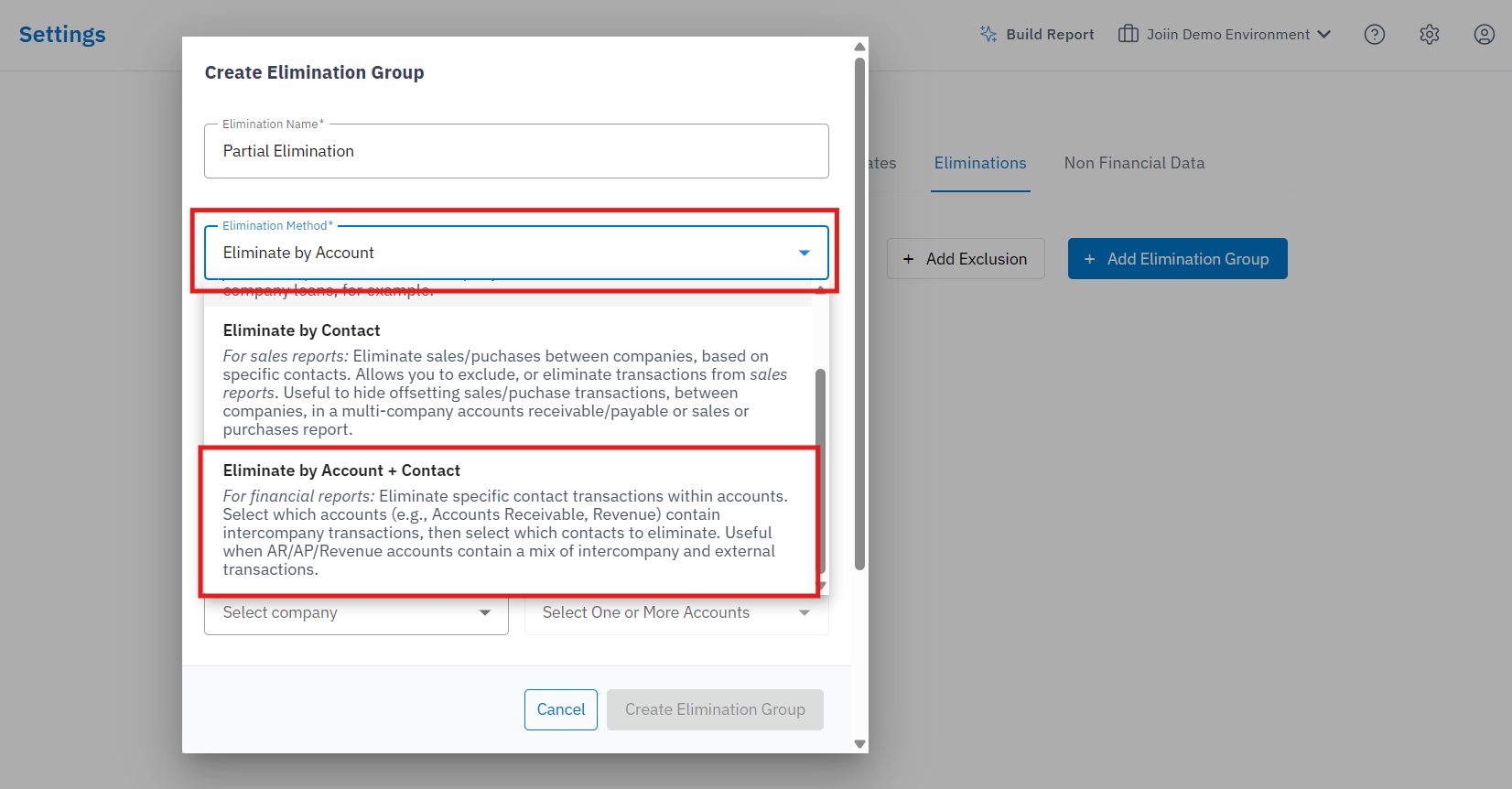
3. Use the box beneath the group name to switch from Eliminate by Account to Eliminate by Account and Contact
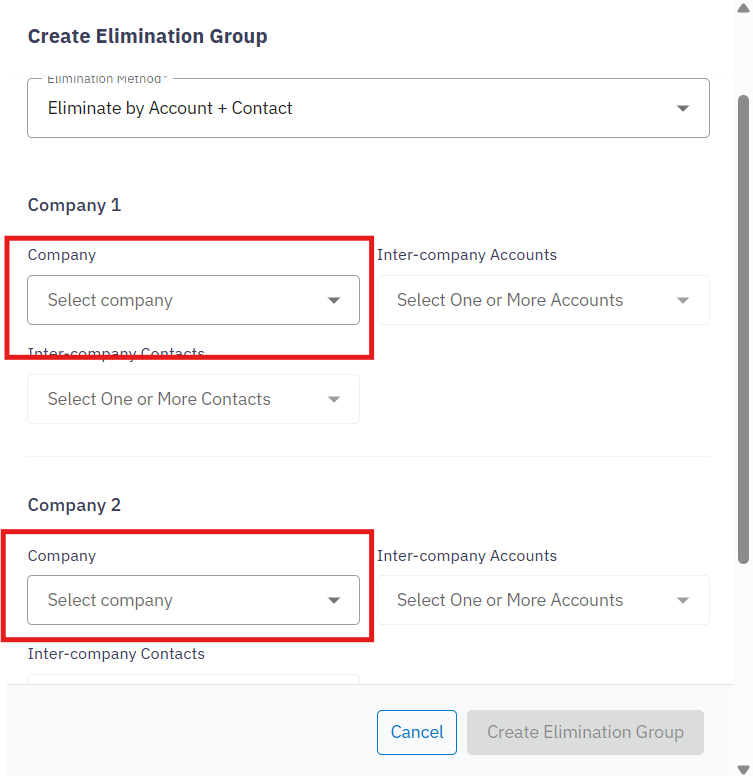
4. Using the Company boxes provided, select each company that you would like to eliminate transactions from
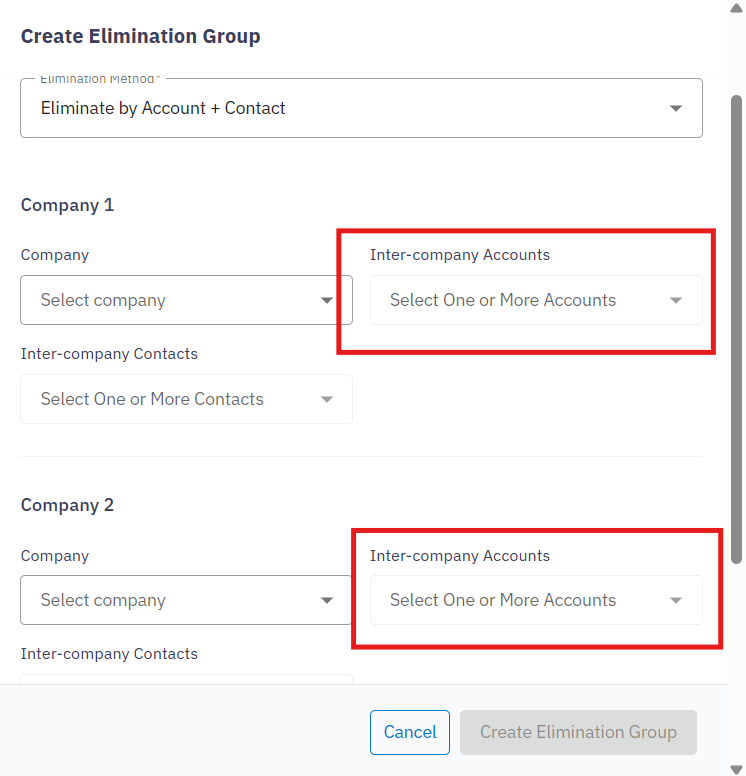
5. Select the GL accounts that transactions will be removed from for each company
6. Select the Contact that the intercompany transactions are assigned to
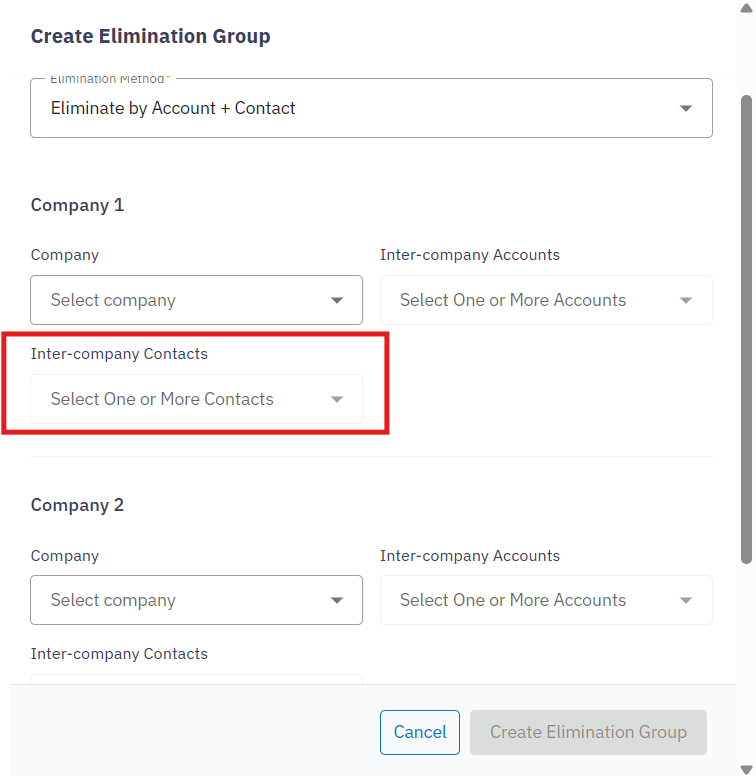
7. Click Create Elimination Group to save this elimination
Once done, Joiin will remove any transactions relating to the selected contact and account from reports.
NOTE: When adding an elimination group, users will have the option to apply a netting adjustment. This will calculate the difference between the selected Accounts + Contacts and will post the variance to a line in the Equity section of the Balance sheet.